Free plan · No credit card

Every introduction deserves more than a paper card

Share your contact by QR code, NFC tap or link. The person you meet opens it in their browser, with no app to install. Update your details any time and they change everywhere.

  • Works on any phone
  • Saves straight to contacts
  • NFC cards delivered in Nigeria
app.wond3rcard.com/dashboard
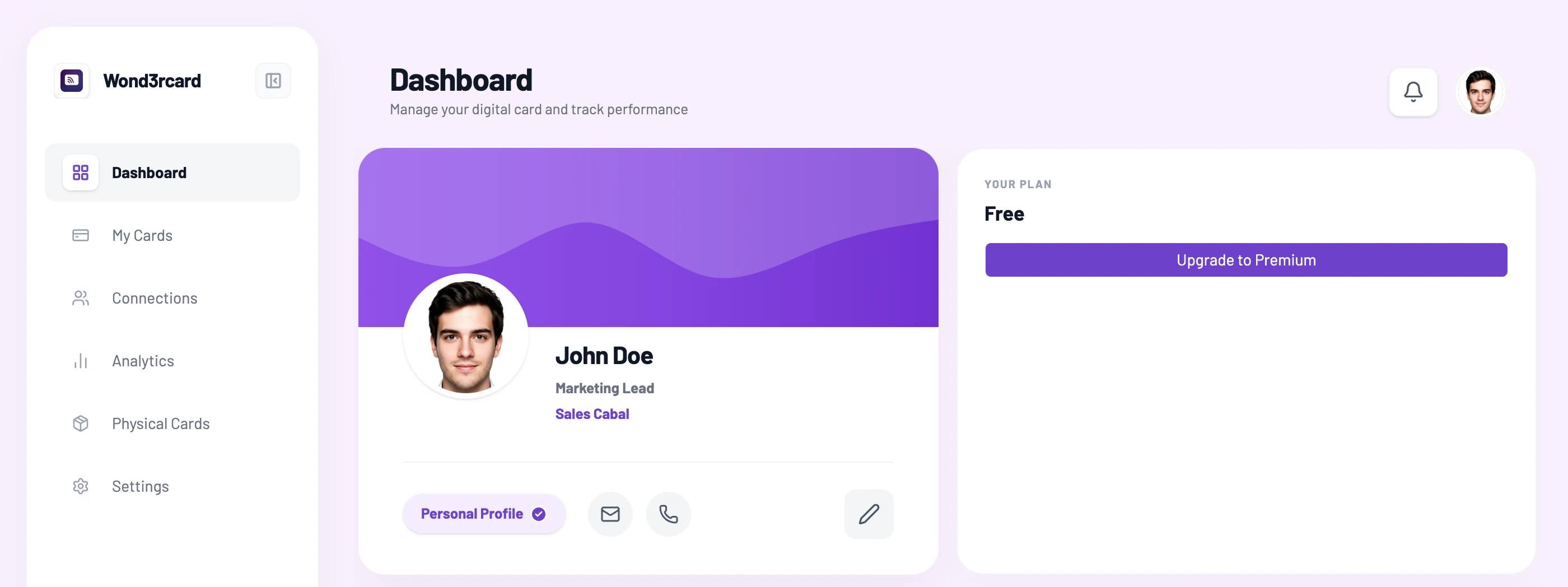
The Wond3rCard dashboard showing a published card for a sample user, John Doe, Marketing Lead at Sales Cabal
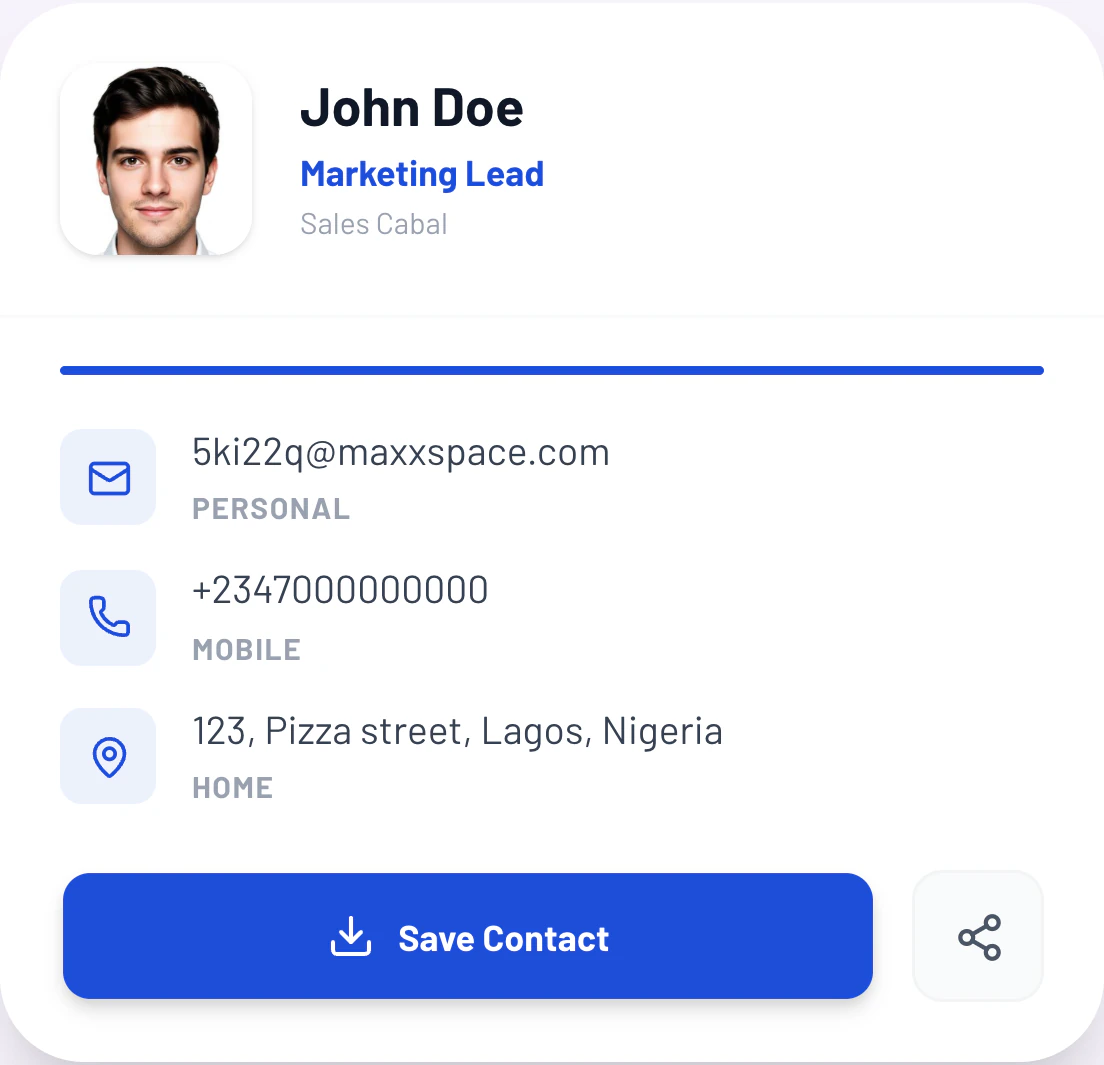
The shared card as the recipient sees it in a phone browser, with email, phone, address and a Save Contact button
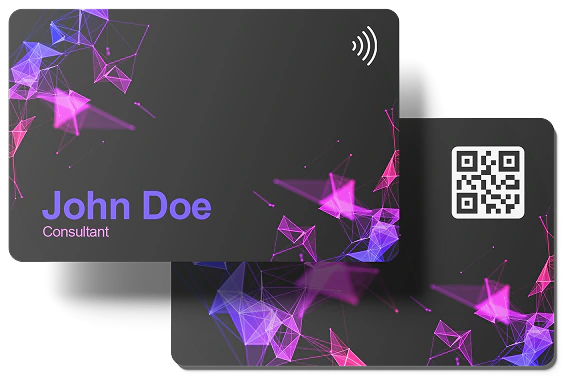
A physical Wond3rCard NFC card with a QR code on the back

QR code

They point their camera at your code and your card opens.

NFC tap

Tap your Wond3rCard on their phone. Nothing to scan or type.

Direct link

Paste it into WhatsApp, email, LinkedIn or your signature.

How it works

Make it once. Share it everywhere. Keep it current.

STEP 1 · CREATE

Pick a template and add your details

Choose a layout, then add your name, role, company, phone, email, address and social links. A live preview shows the card exactly as people will see it.

  • Templates including Classic, Split View and Banner Hero
  • Your own background and accent colours
  • Separate cards for work, personal life or an event
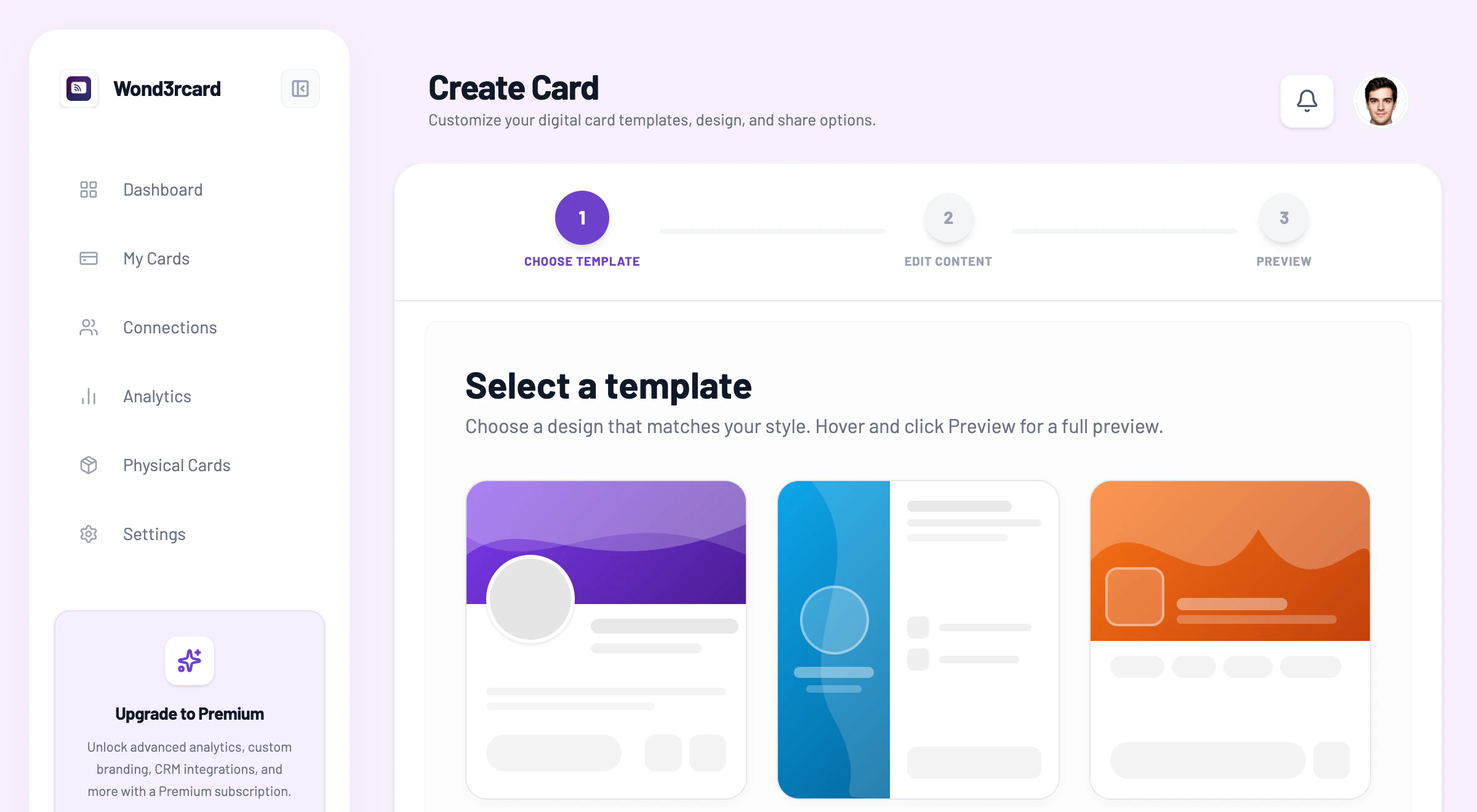
The Create Card screen in Wond3rCard, step 1 of 3: choosing a template
Create card · Choose templateStep 1 of 3
STEP 2 · SHARE

Share it in the way that suits the moment

At a meeting, tap your NFC card. At a conference stand, show your QR code. Online, send the link. Your card opens in any browser, and one button saves you to their contacts.

  • No app needed for the person you meet
  • They can share their details back with you
A sample shared card for John Doe opened in a browser
TapNFC card to phone
ScanQR code from your screen or card
SendYour link in any chat or email
STEP 3 · FOLLOW UP

Keep track of who you met

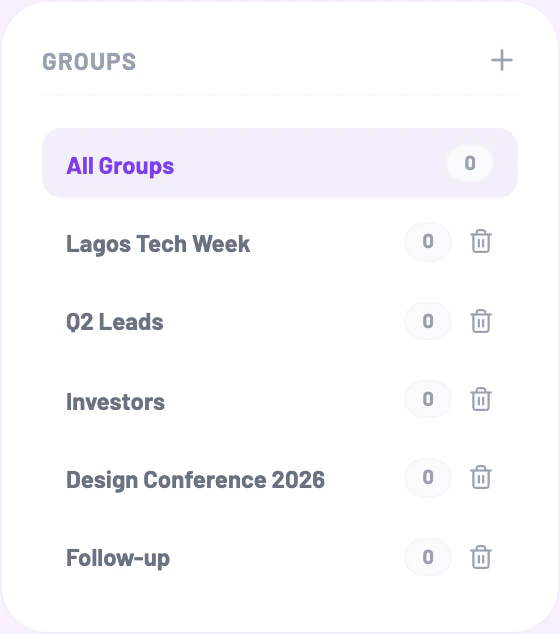
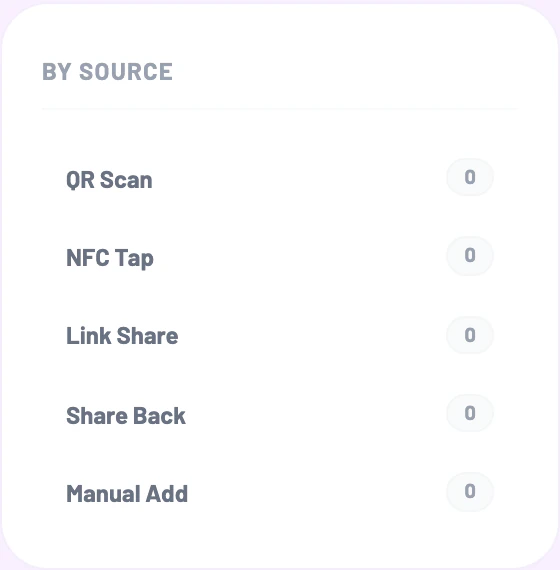
New contacts land in Connections, labelled by how you met: QR scan, NFC tap, link share or share-back. Group them by event or deal and export them when you need to.

  • Groups such as “Lagos Tech Week” or “Q2 Leads”
  • See views, saves and link clicks on your card
  • Change a detail once and every shared copy updates
Connection groups in Wond3rCard: Lagos Tech Week, Q2 Leads, Investors, Design Conference 2026 and Follow-upConnections sorted by source: QR scan, NFC tap, link share, share back and manual add
Features

Everything a card should do after you hand it over

One dashboard, from creating the card to following up with the people who received it.

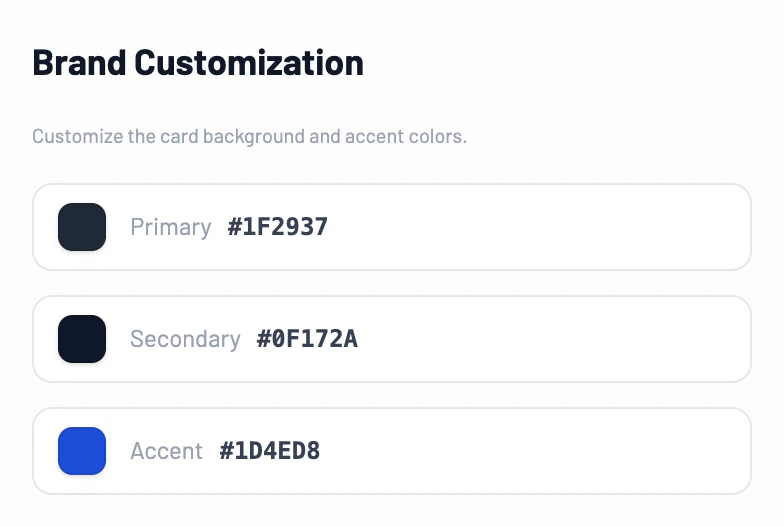
Your brand, your colours

Set the primary, secondary and accent colours so the card matches your company.

Brand customisation panel with primary, secondary and accent colour fields

Always current

New role or new number? Edit your card and the change shows for everyone, including people who saved it months ago.

New job titleNew phoneNew office

Card analytics

See how your card performs over 7, 30 or 90 days.

  • Total viewsAll plans
  • Views over time, viewers & devicesPremium
  • Advanced analyticsBusiness

A card for each side of you

Keep a work card, a personal card and a card for this week’s event. Premium includes five; Business has no limit.

WorkPersonalConferenceSide business

Contacts you can act on

Every connection records its source and date. Tag contacts, star the important ones and export the list when you need it.

QR scanNFC tapLink shareShare backExport
For teams and events

Give your whole company the same card

Issue branded cards to every staff member and keep their details correct when people change roles. You manage departments, invitations and branding from one place.

  • Department management
  • Staff invitations
  • Company branding
  • Bulk card creation
  • Team management
  • CRM integration

Banks, telecoms and agencies

Sales and relationship teams share one approved design, and every card carries the same branding.

Conferences and events

Put a Wond3rCard on speaker and sponsor badges. Attendees tap or scan to connect, and organisers group connections by event.

NFC cards for every employee

Order printed NFC cards in your company design, linked to each person’s digital card.

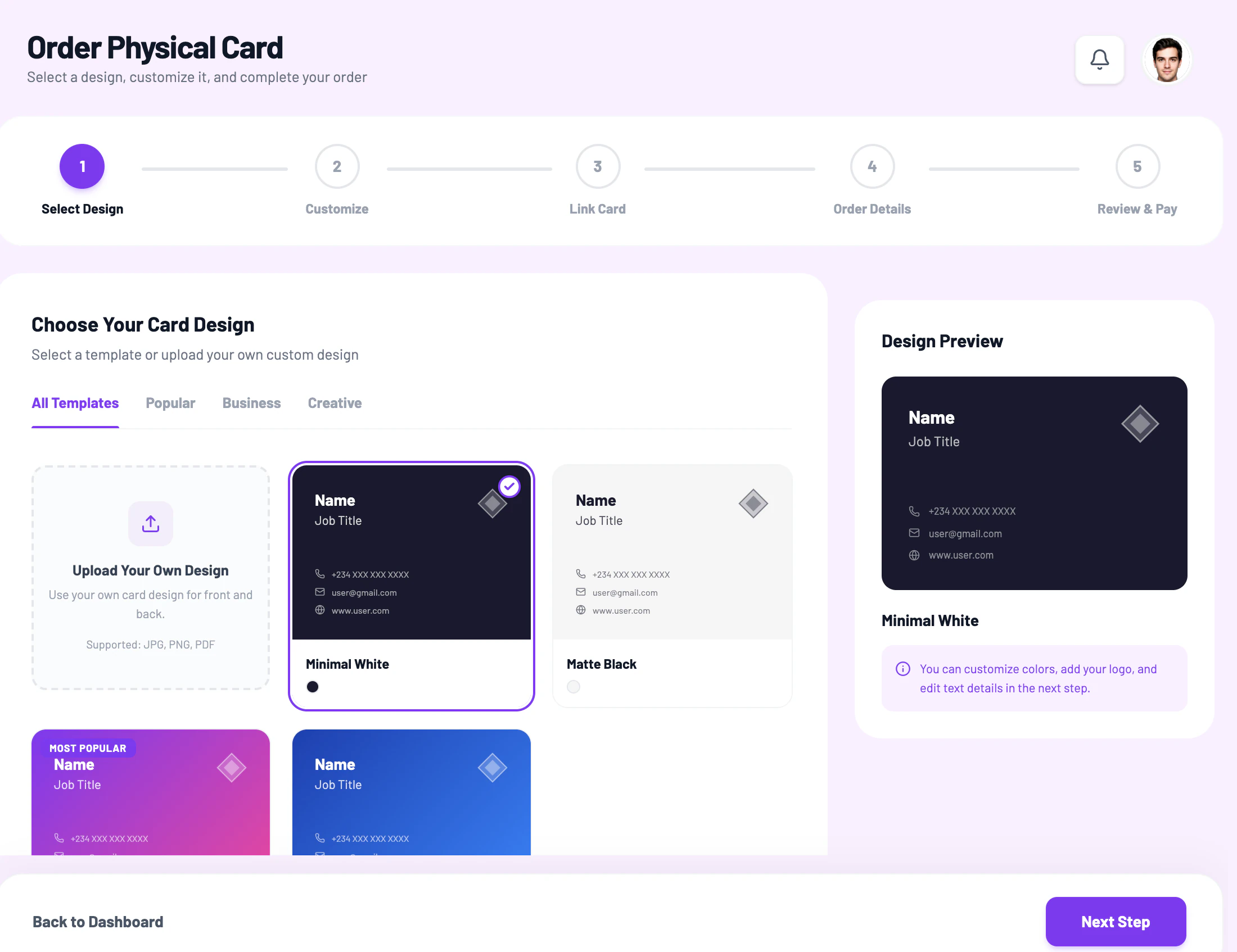
The Order Physical Card screen: choose a design from Minimal White, Matte Black, Brushed Metal and Bold Color Block, or upload your own
Order physical card · Select designStep 1 of 5
Physical NFC cards

A card that taps, for when you meet in person

Choose a design or upload your own, link it to your digital card and we deliver it. Tap it on any NFC phone to share. The QR code on the back works for phones without NFC.

  1. Select design
  2. Customise
  3. Link card
  4. Order details
  5. Review & pay
NigeriaDelivering
United StatesDelivering
United KingdomComing soon
More countriesComing soon
Order your NFC card
Pricing

Start free. Upgrade when your network grows.

Pay yearly and save about 16%

Basic

For trying a digital card

$0/month
  • 1 digital card
  • Basic customisation
  • QR code sharing
  • Up to 5 social links
  • Advanced analytics
  • Multiple profiles
Create free card
Most popular

Premium

For professionals who network often

$9/month
  • 5 digital cards
  • Advanced customisation
  • QR, NFC and link sharing
  • Unlimited social links
  • Detailed analytics
  • Personal and business profiles
Start Premium

Business

For teams and growing companies

$65/month
  • Unlimited digital cards
  • Premium customisation
  • Team management
  • Advanced analytics
  • CRM integration
  • Bulk card creation
Start Business

Rolling out cards to a whole department or every staff member?

See team options →
FAQ

Questions people ask before switching

You create a digital business card in the app and share it by QR code, NFC tap or link. The person you meet can view it on any device without downloading anything. Your card can hold your contact details, social links and more.

Your first digital card is free

Set it up in a few minutes, share it at your next meeting and see who opens it.